
When you copy sth from vim editor and want to past it to other application, you would have to install the full build of vim to have clipboard support
In a terminal (not inside vim), run:
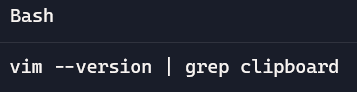
You’ll see either:
- +clipboard is supported ✅
- -clipboard is not supported ❌
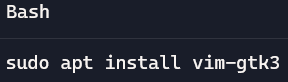
If you see -clipboard , you are in minimal vim so you would have to install a full build to have clipboard support:
Test if copy inside vim will be able to be pasted outside vim (+clipboard is working), please do:
Inside vim, do this:
- Press Esc (to be sure you’re in normal mode)
- Move to the start of what you want to copy
- Press v→ start selection
- Move with arrows / to highlight text
- Then press the keys in this exact sequence:
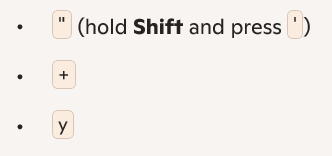
You should not see “+y typed on the screen—vim interprets it as a command, not text.
Now go outside vim and right click → paste